Raycast extension
Save and search links with Raycast.
Use the Sleevy Raycast read-later extension to save URLs from your clipboard and search your synced queue from the launcher.

Save a link with Raycast while you work, then search the same read-later queue from Raycast, Chrome, iPhone, or the web.
How the Sleevy Raycast extension works
Copy a link, open Raycast, and run the Sleevy command to save it. Sleevy checks that the clipboard contains a web address, adds it to your queue, and confirms when it is saved—so you can keep moving instead of opening a separate read-later app.
Search saved links from Raycast
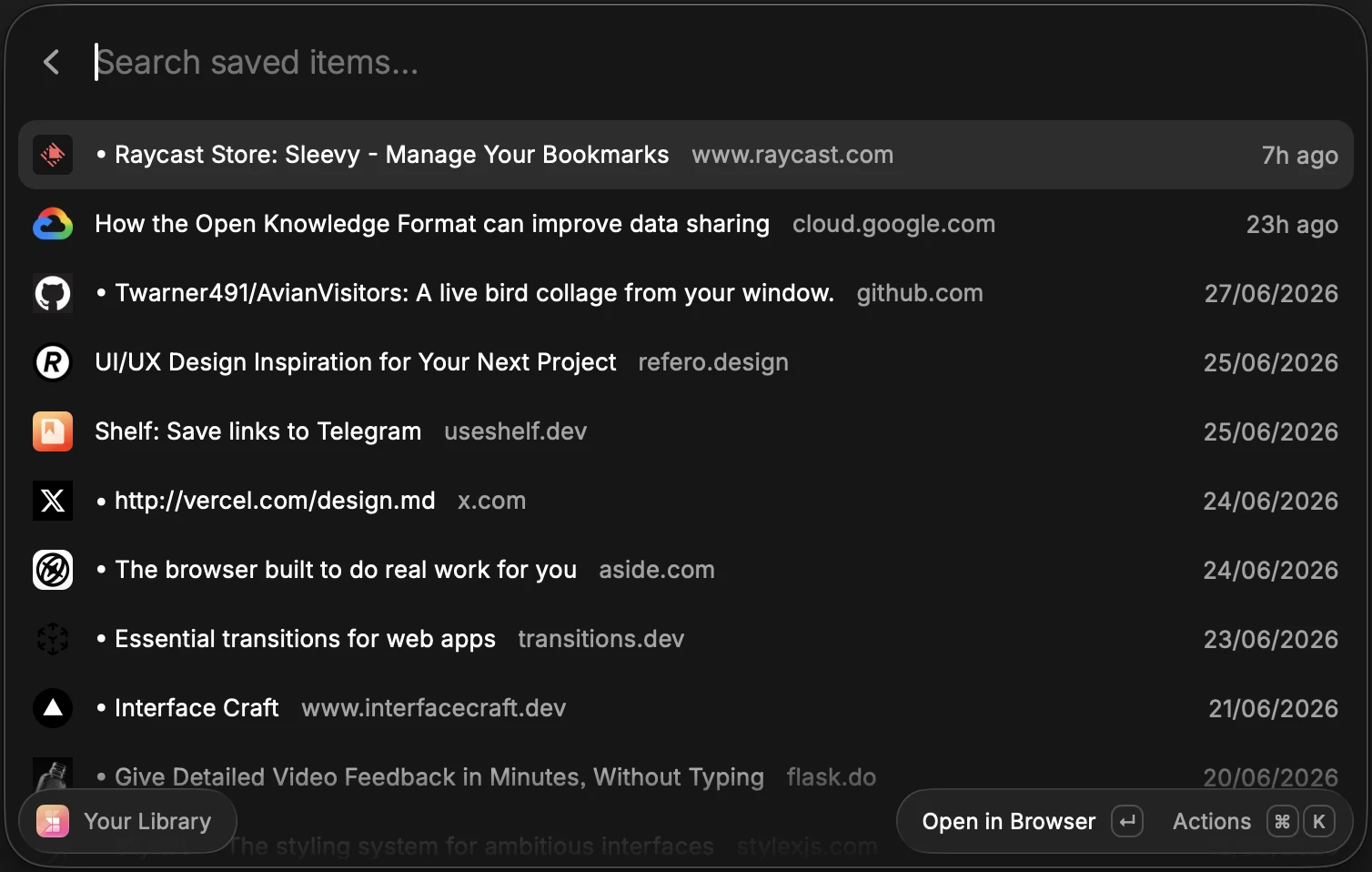
The extension also gives you a fast way to browse your Sleevy library. Search saved articles, websites, videos, and repositories from the Raycast launcher, then open the original page when you are ready to return to it.
A read-later workflow for keyboard users
Raycast is useful when most of your research happens at a desktop. Save a reference while you work, use your queue as a lightweight memory, and pick it up later from Sleevy on the web or iPhone.
Does it sync with other Sleevy apps?
Yes. Items saved with the Raycast extension go into the same Sleevy account and reading queue as items saved through the Chrome extension, iOS share sheet, web companion, or personal API.
Your saved work stays close.
One shortcut opens your library whenever a reference comes back into play.