iOS
iOSSave links from iPhone.
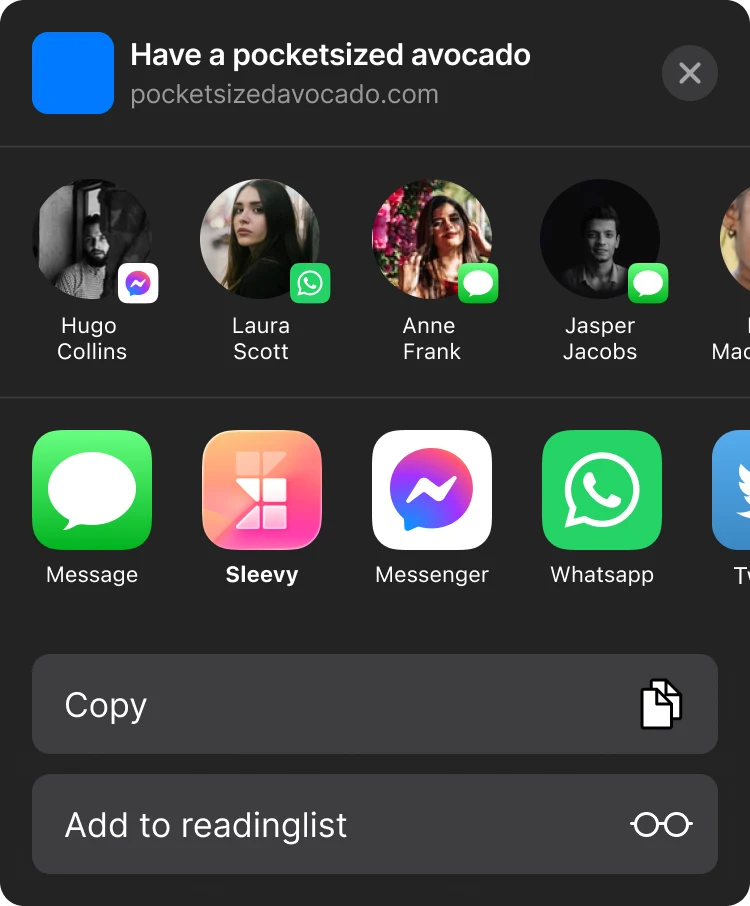
Use the Sleevy iOS Share Sheet to save links from any app to a synced read-later queue.
Save links from iPhone with the native iOS Share Sheet, then return to them from a synced queue when you are ready.
Save links with the iOS share sheet
When you find an article, video, or website in Safari or another iPhone app, open the Share sheet and choose Sleevy. The link is added to your reading queue without copying a URL or switching through a browser tab later.
A calmer way to read on iPhone
Sleevy is for the links that are worth keeping but not worth interrupting your day for. Save them in the moment, then choose what to read from a single queue when you have the time and attention.
Your iPhone queue stays in sync
A link saved through the share extension belongs to your same Sleevy account. It is available from the web companion, the Chrome extension, Raycast, and other tools connected to your personal API.
Can I save a link while offline?
Sleevy can hold a pending capture on the device when a connection is unavailable and send it when connectivity returns. That means a poor signal does not have to make you lose the page you meant to save.
Stay in the moment.
Sleevy sits beside the apps you already use, so an interesting page does not become another open tab.